
A large-print e-book for readers over 55
people in the EU aged 55 to 74 used a tool like ChatGPT in 2025. Most have not started yet.
Eurostat [1]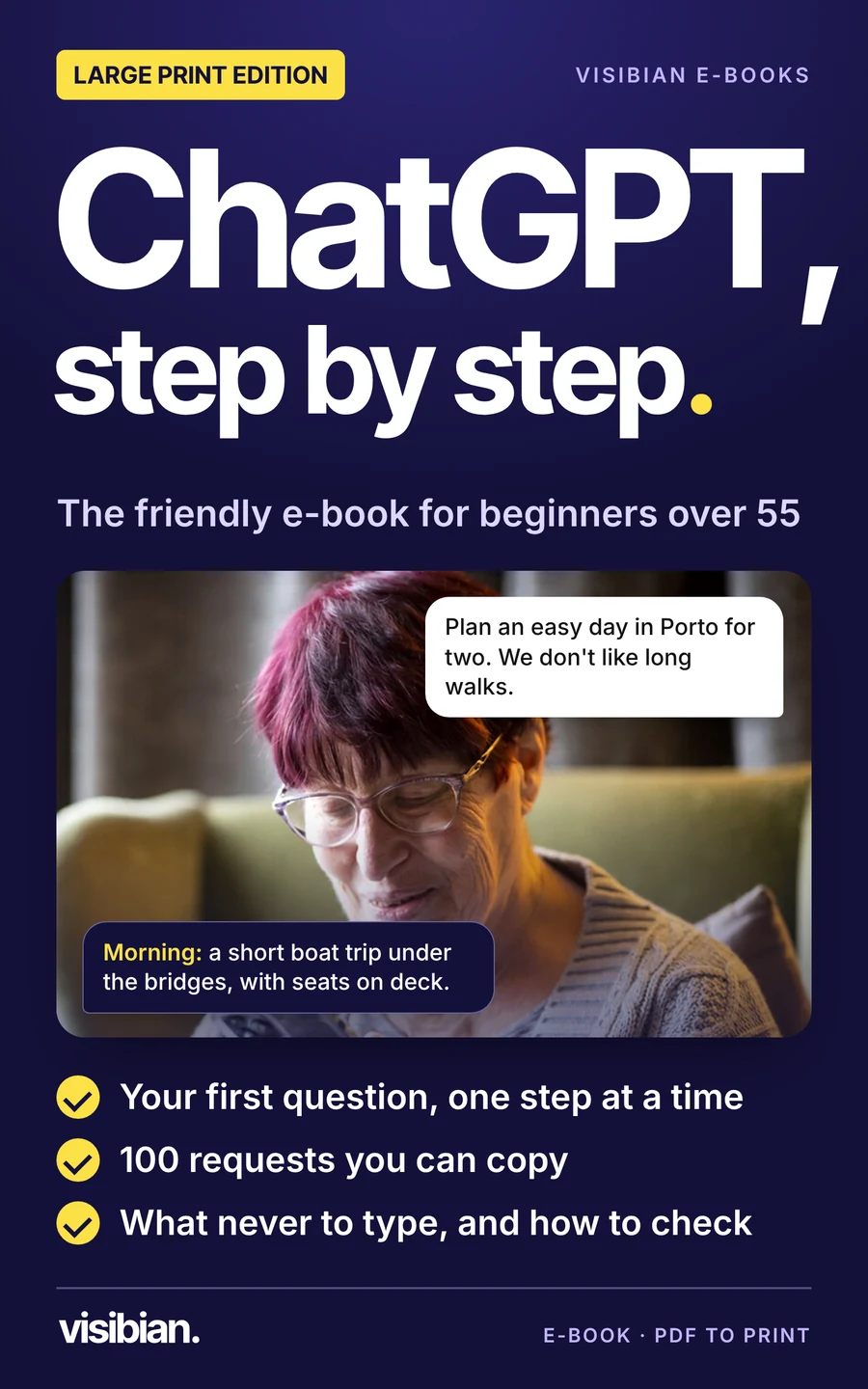
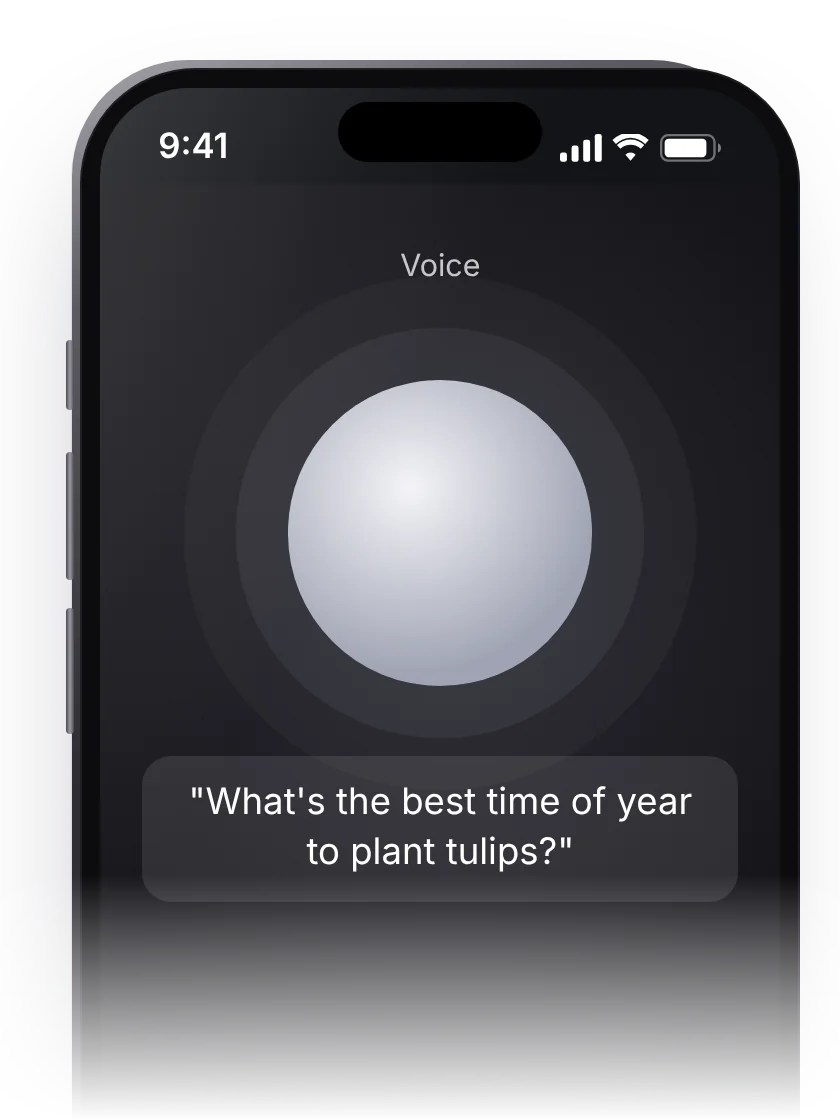
Type the way you talk.
You do not need special words. Ask as you would ask a helpful neighbour.
of Americans over 50 used AI tools like ChatGPT, 2024 to 2025
AARP [2]ChatGPT, step by step.
Write a letter, plan a trip, understand a bill, or simply ask a question. From your very first question to everyday help, one short step at a time, with 100 requests you can copy.
- Full refund any time before it arrives
- Arrives by 31 December 2026
- Works with the free ChatGPT
Your first question, one step at a time.
If you can send a text message, you can do this. Press "Next step" when you are ready; nothing moves on by itself.
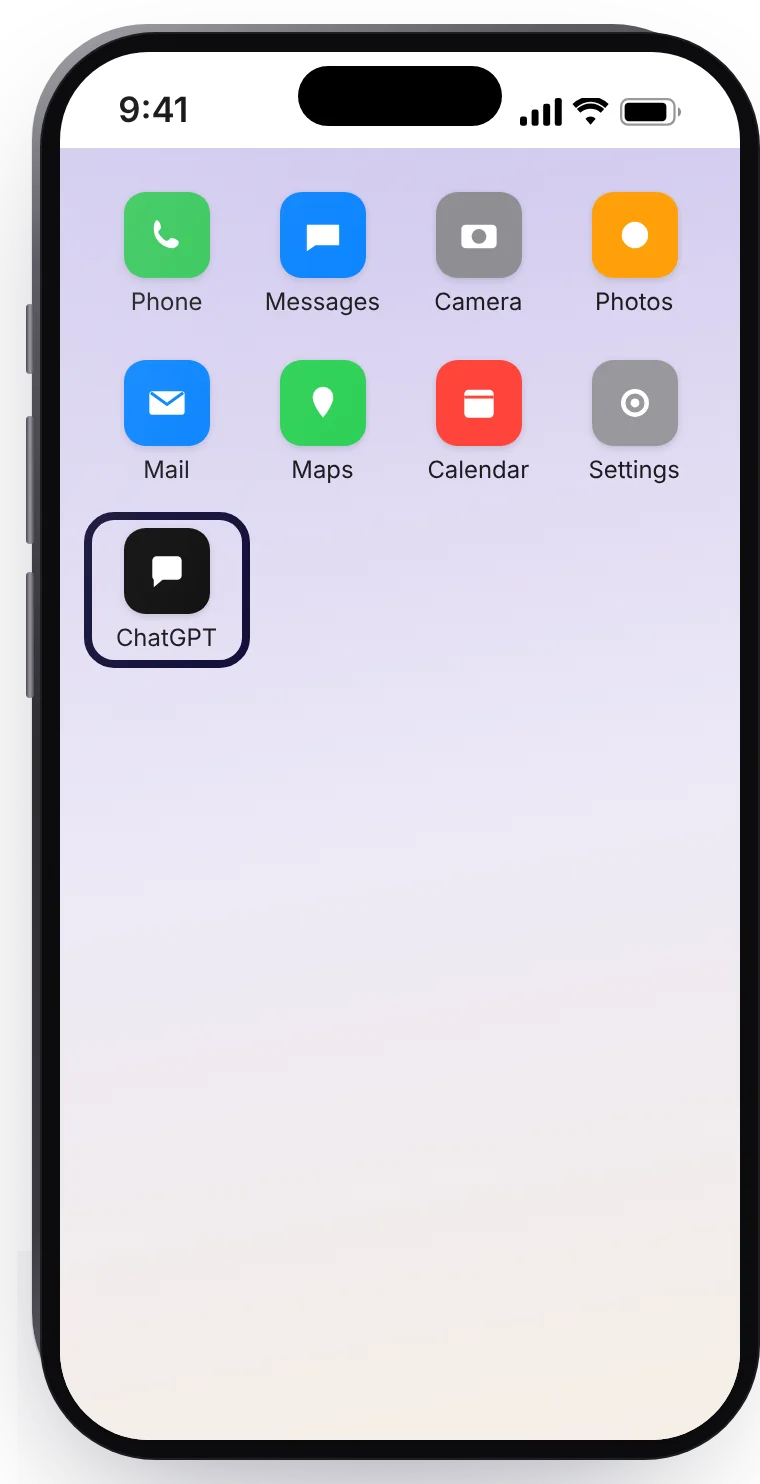
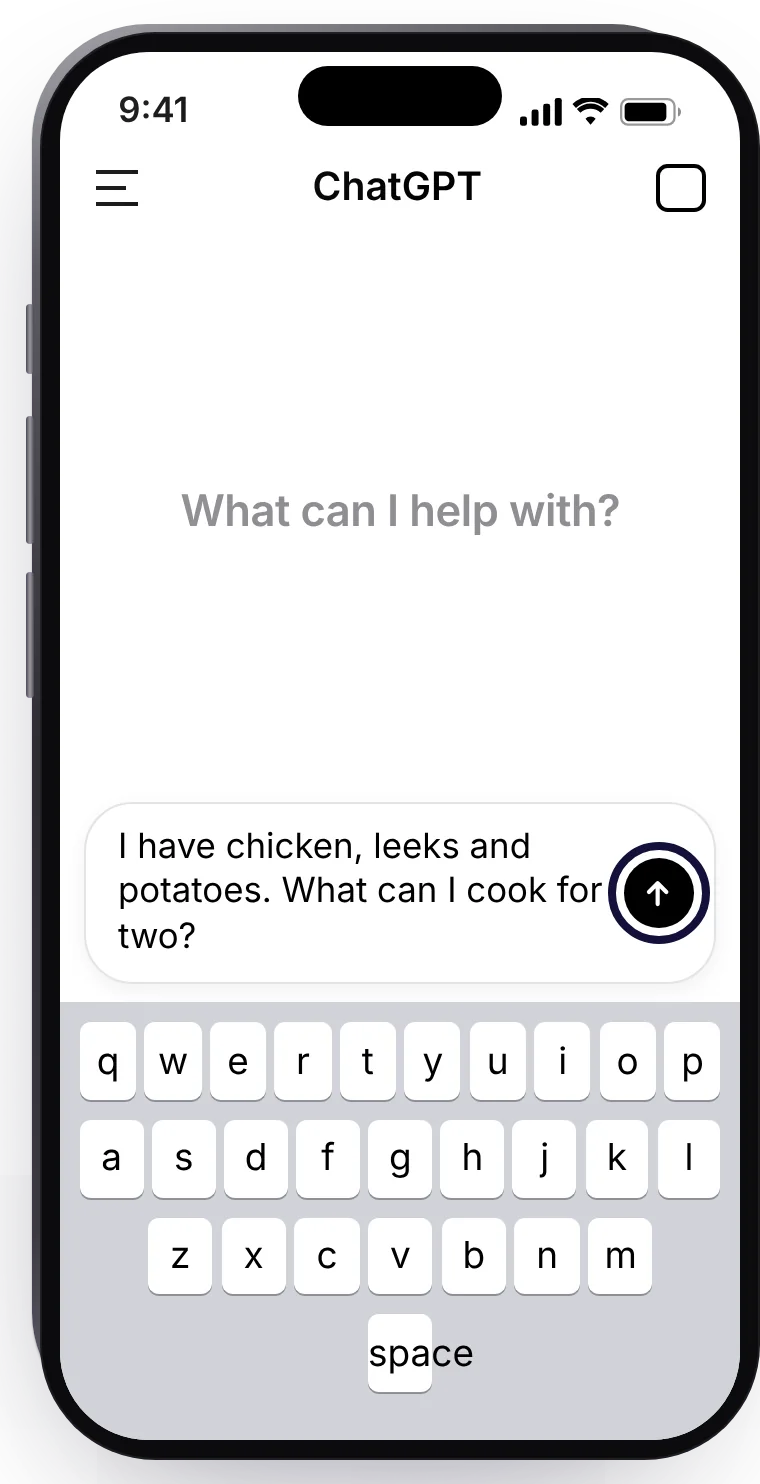
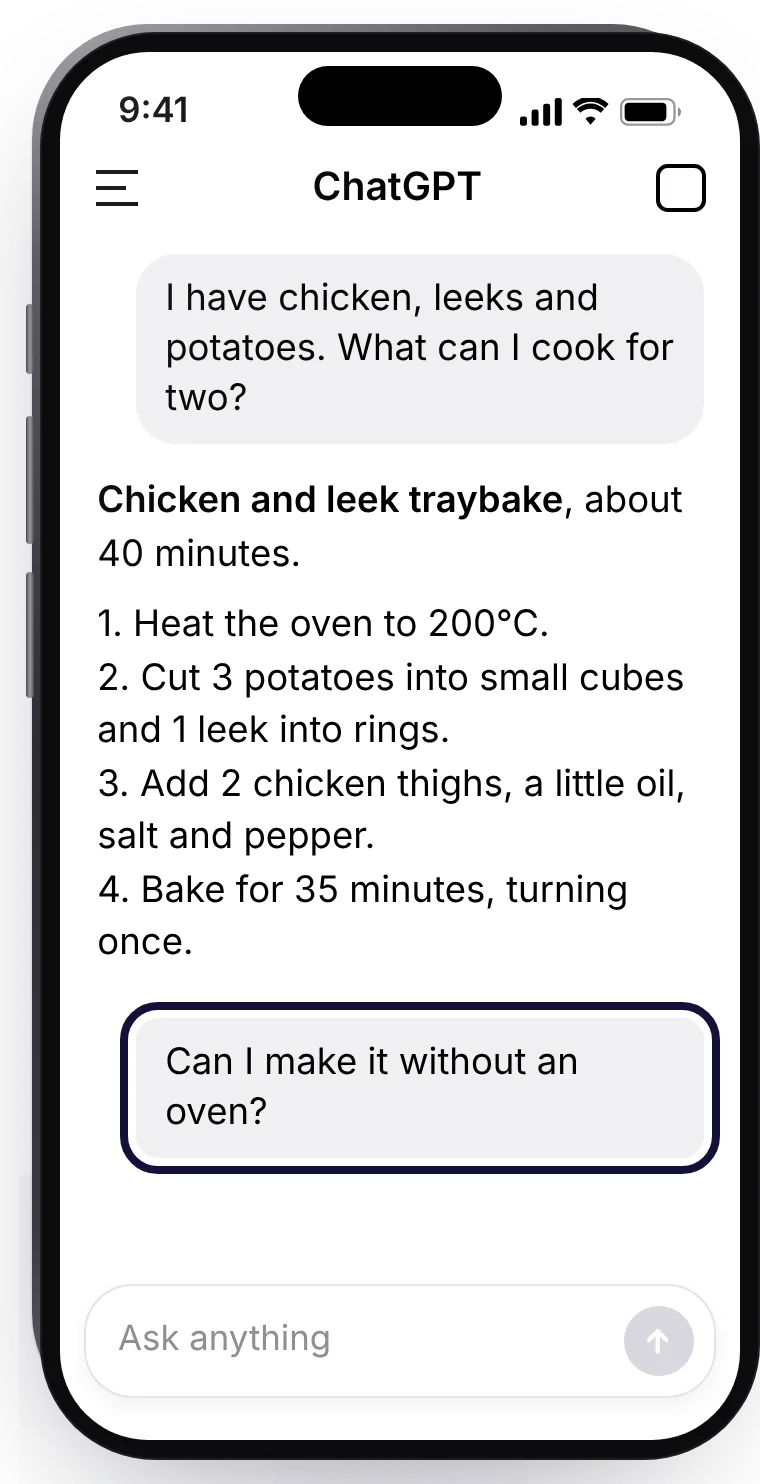
- Open the ChatGPT app. It is free on any phone or tablet. On a computer, go to chatgpt.com.
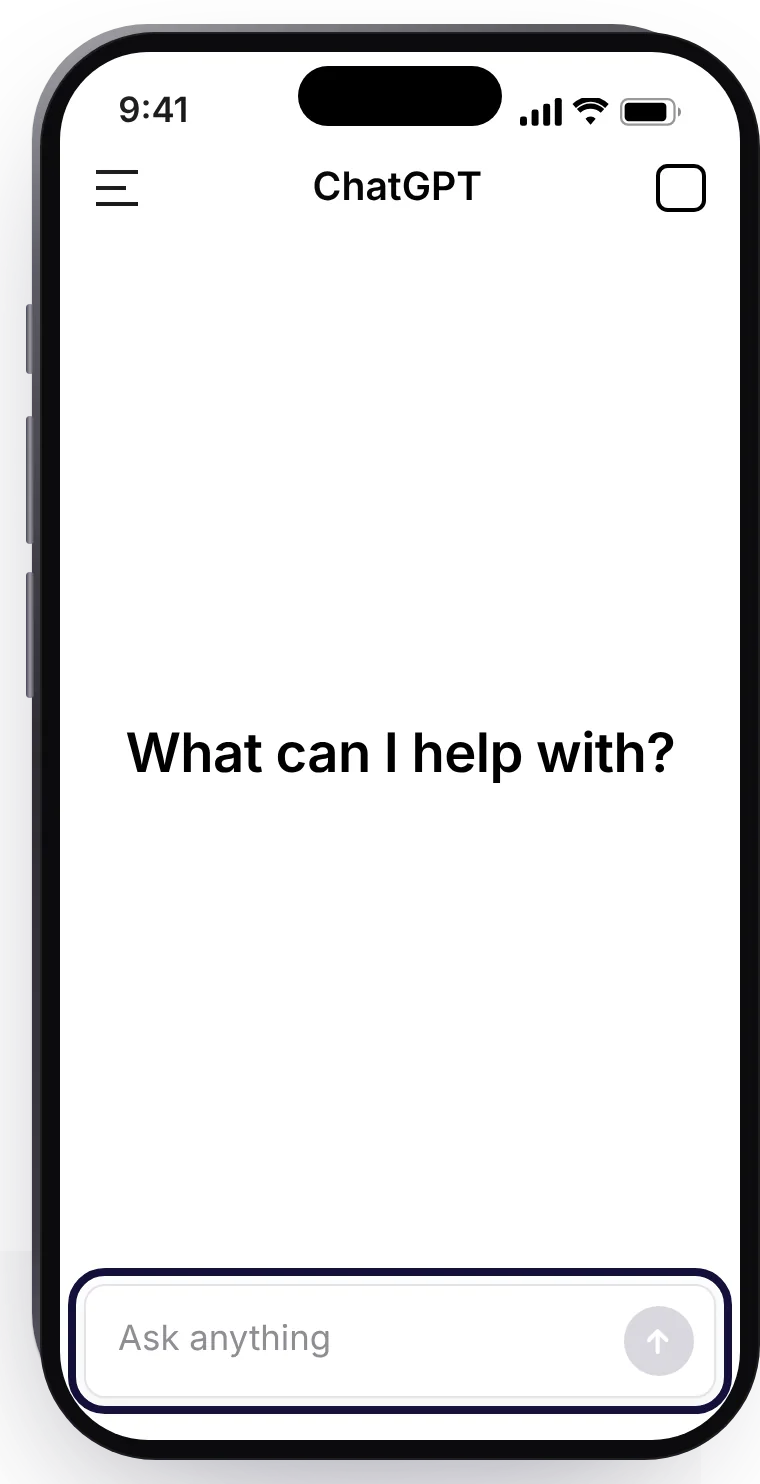
- Tap the box that says "Ask anything".
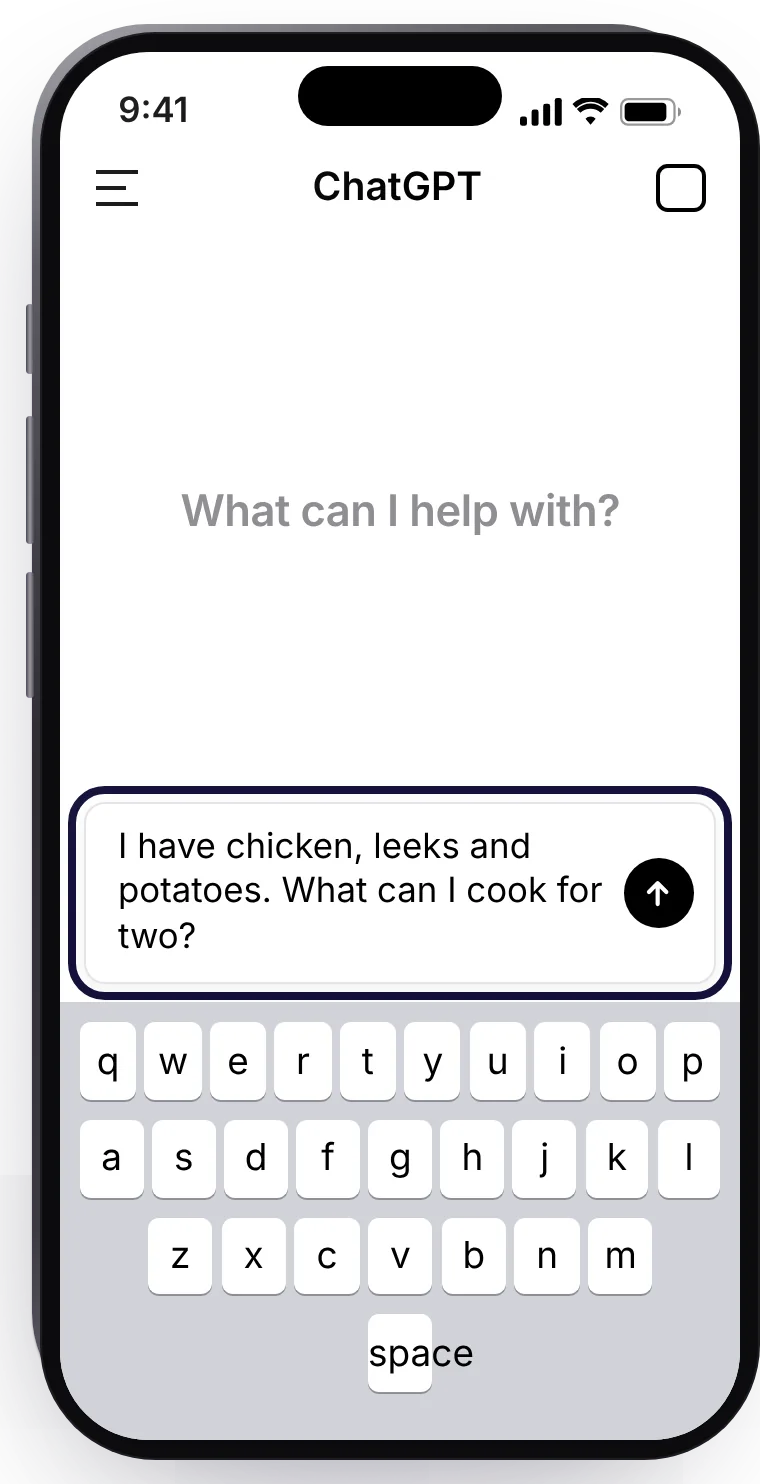
- Type your question the way you would say it to a friend.
- Tap the arrow to send it.
- Read the answer. Not quite right? Say what to change, in plain words.
You are early, not late.
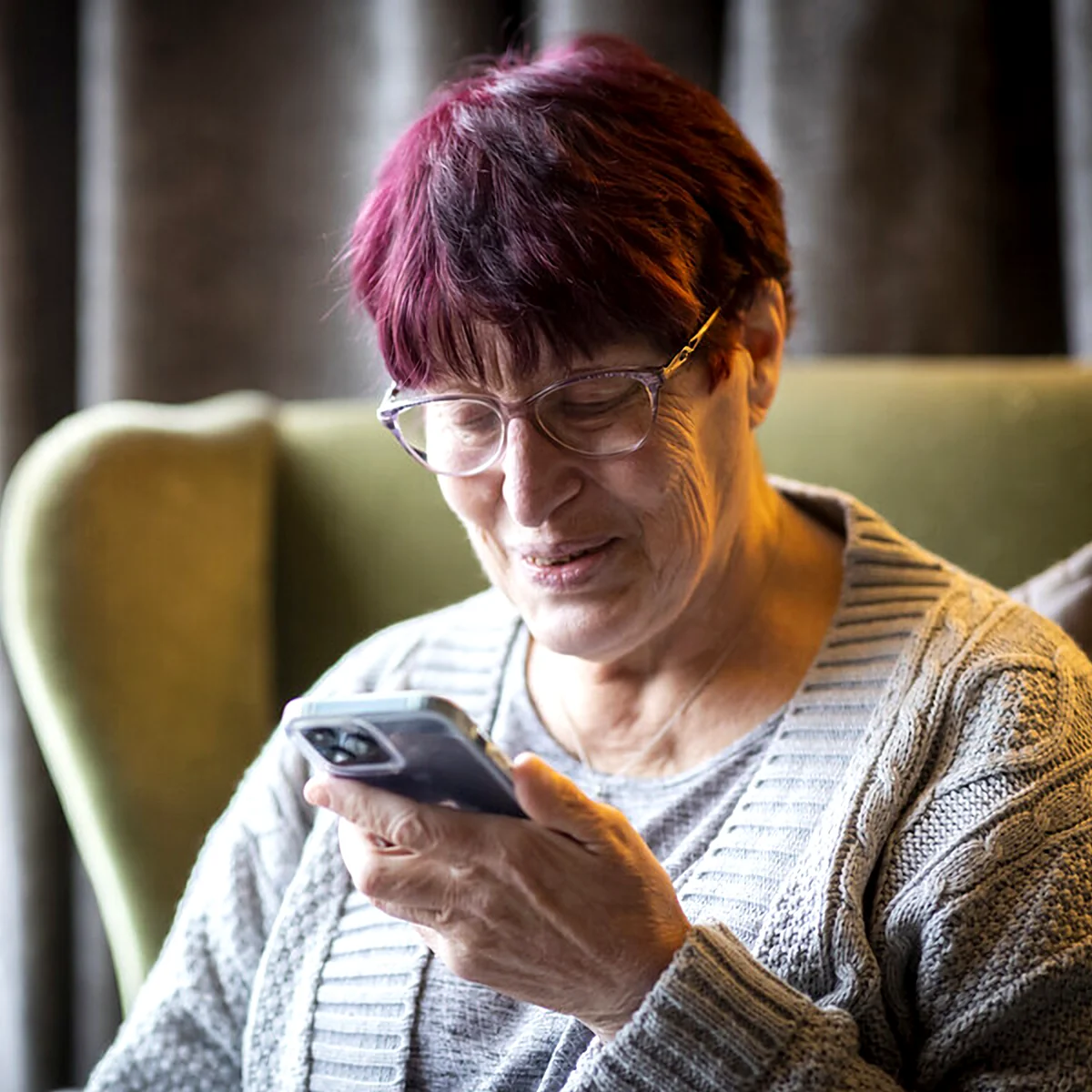
Most people your age have not started yet. The ones who have use it for small, everyday things: a letter, a recipe, a word on a bill they did not understand.
You type a question in your own words, and it writes back. That is the whole idea; the e-book does the rest, at your pace.
Small jobs, done in a minute.
Real kinds of requests, with the kind of answer that comes back. The e-book shows dozens more, with the words to use.
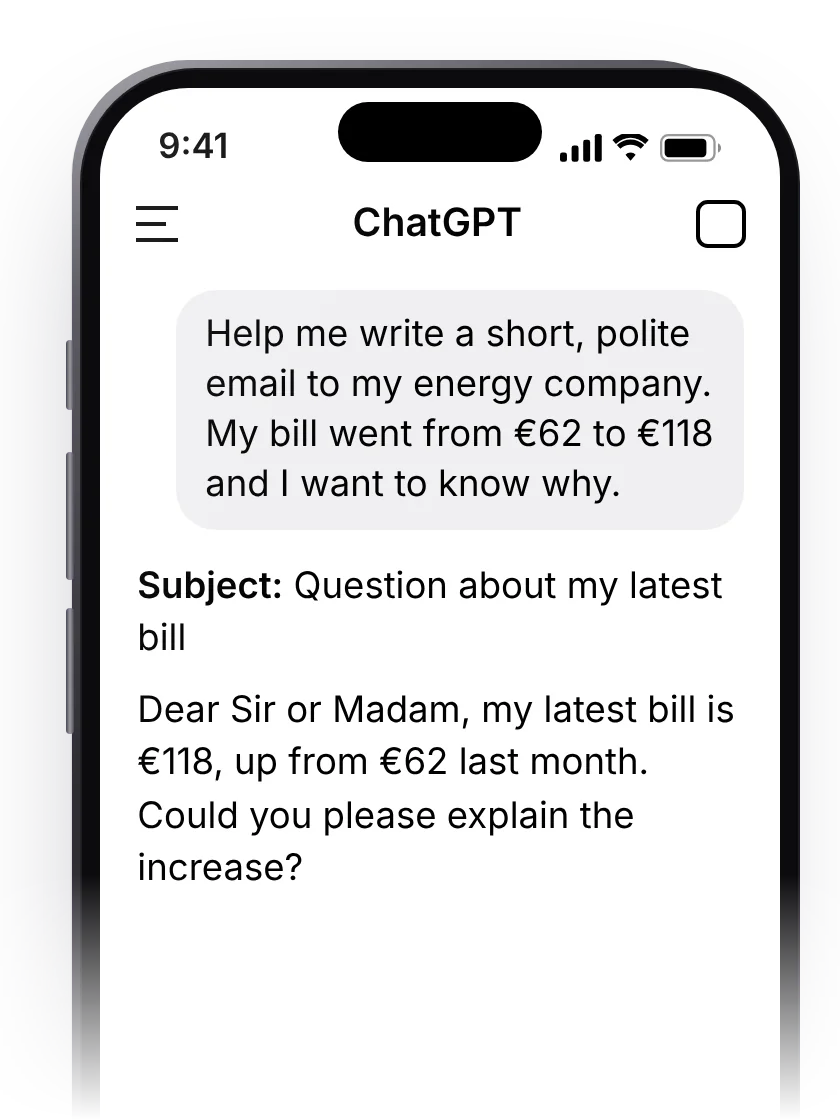
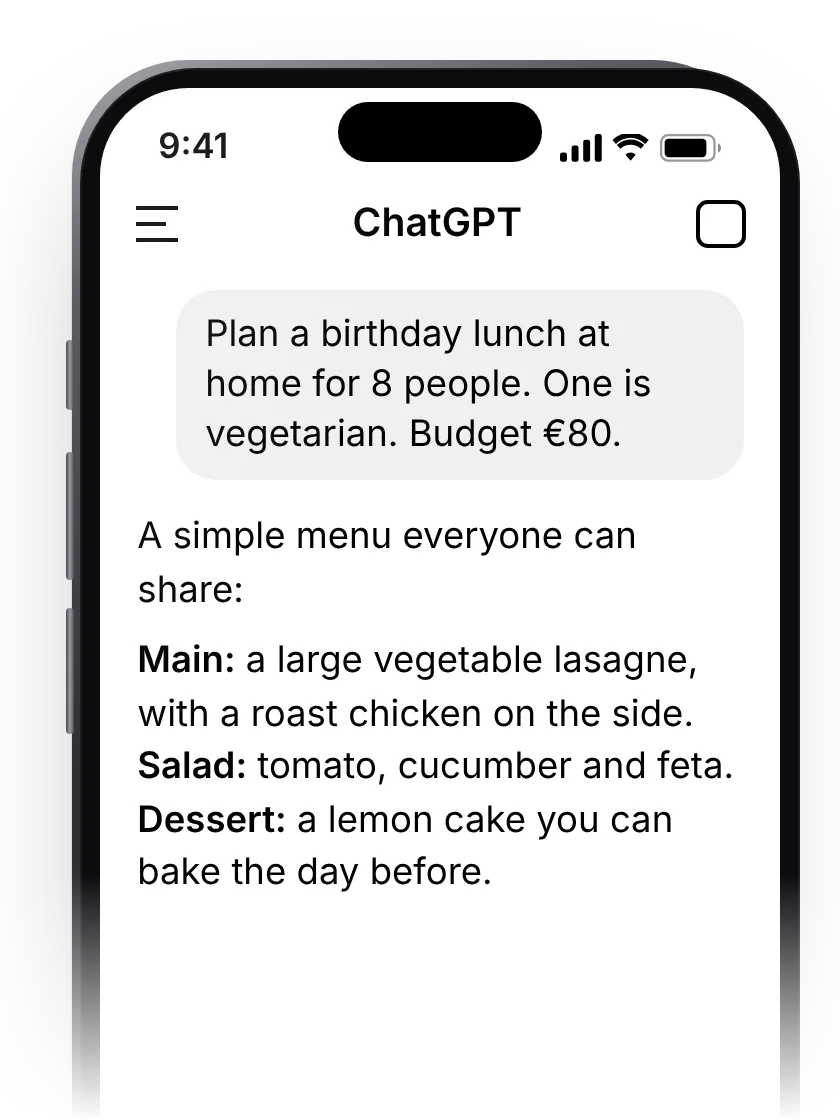
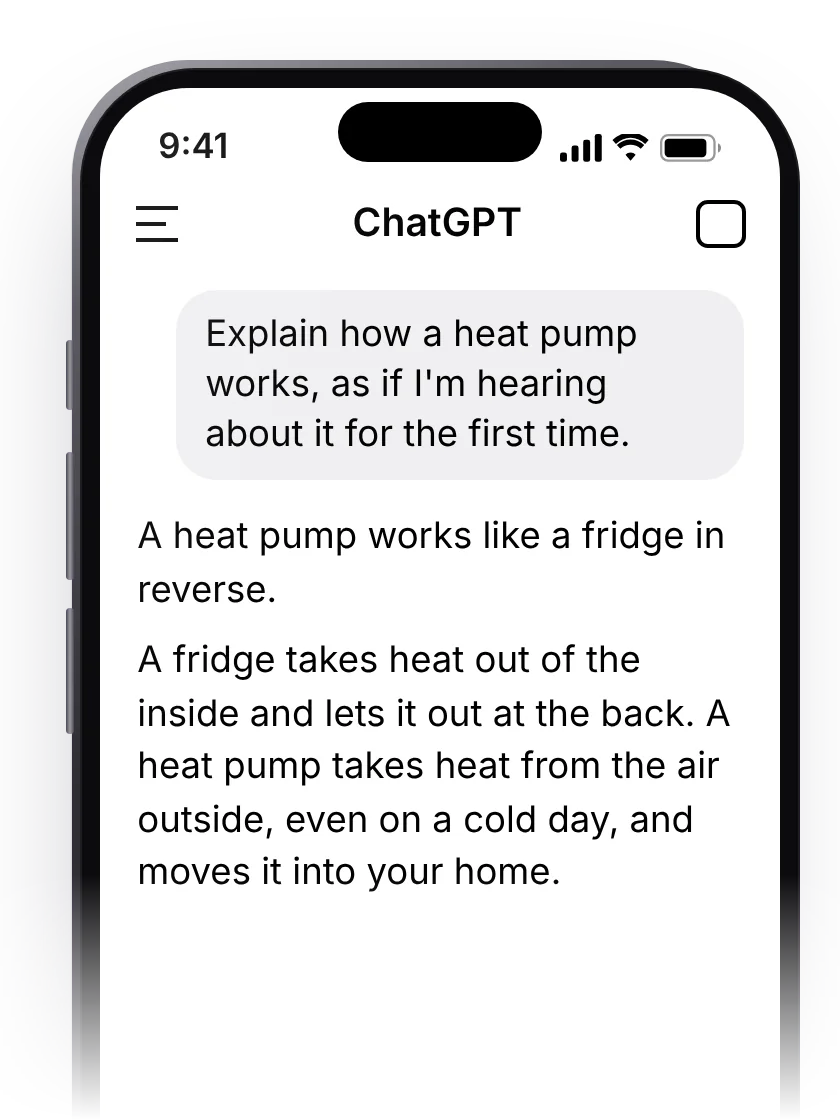
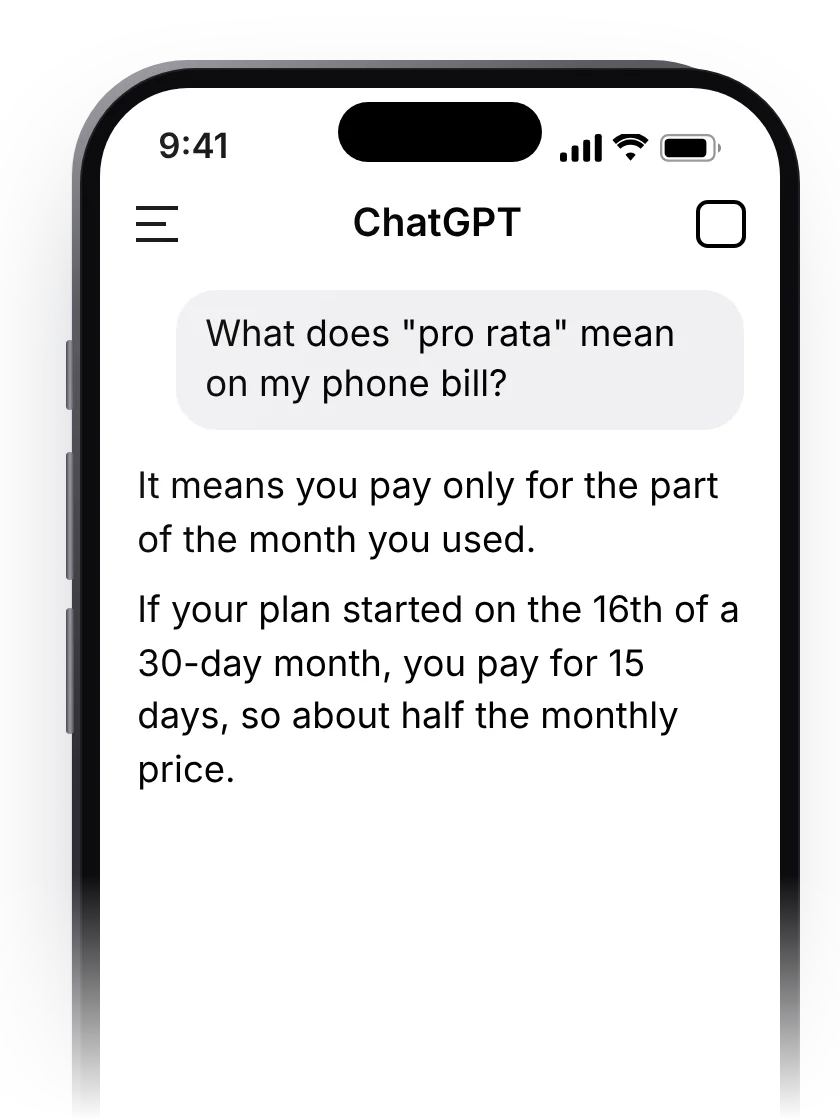
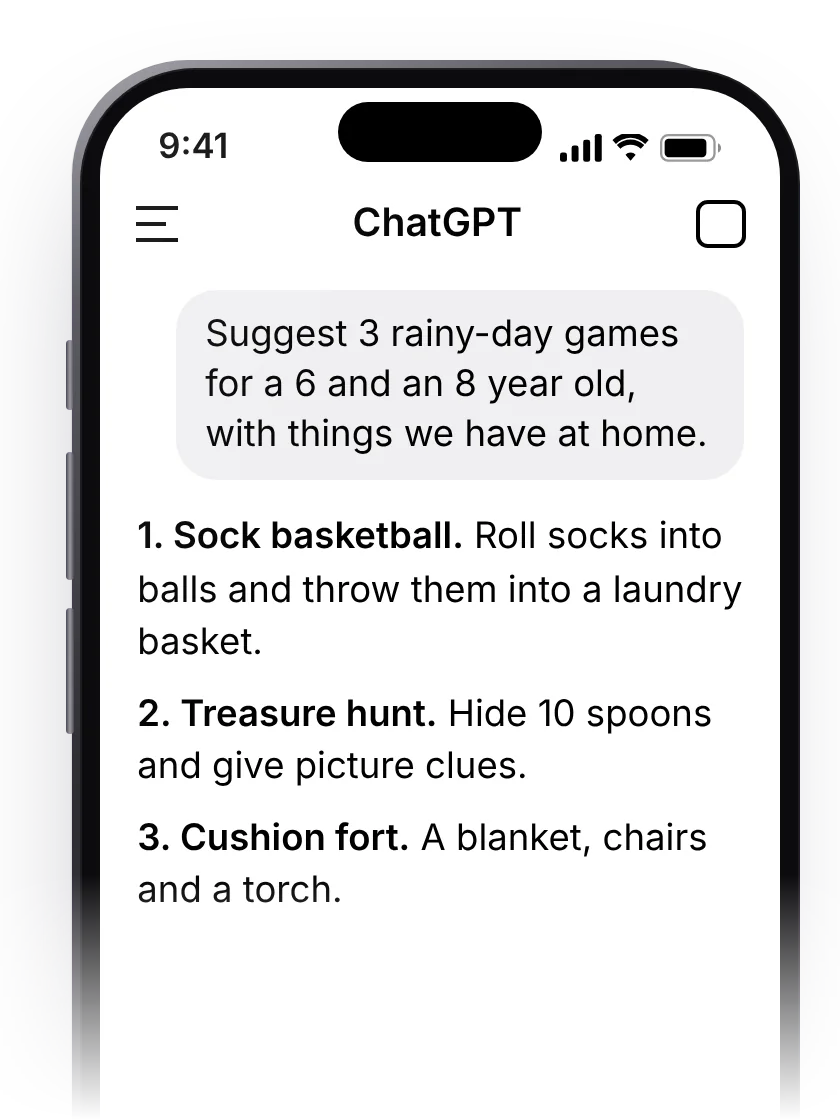
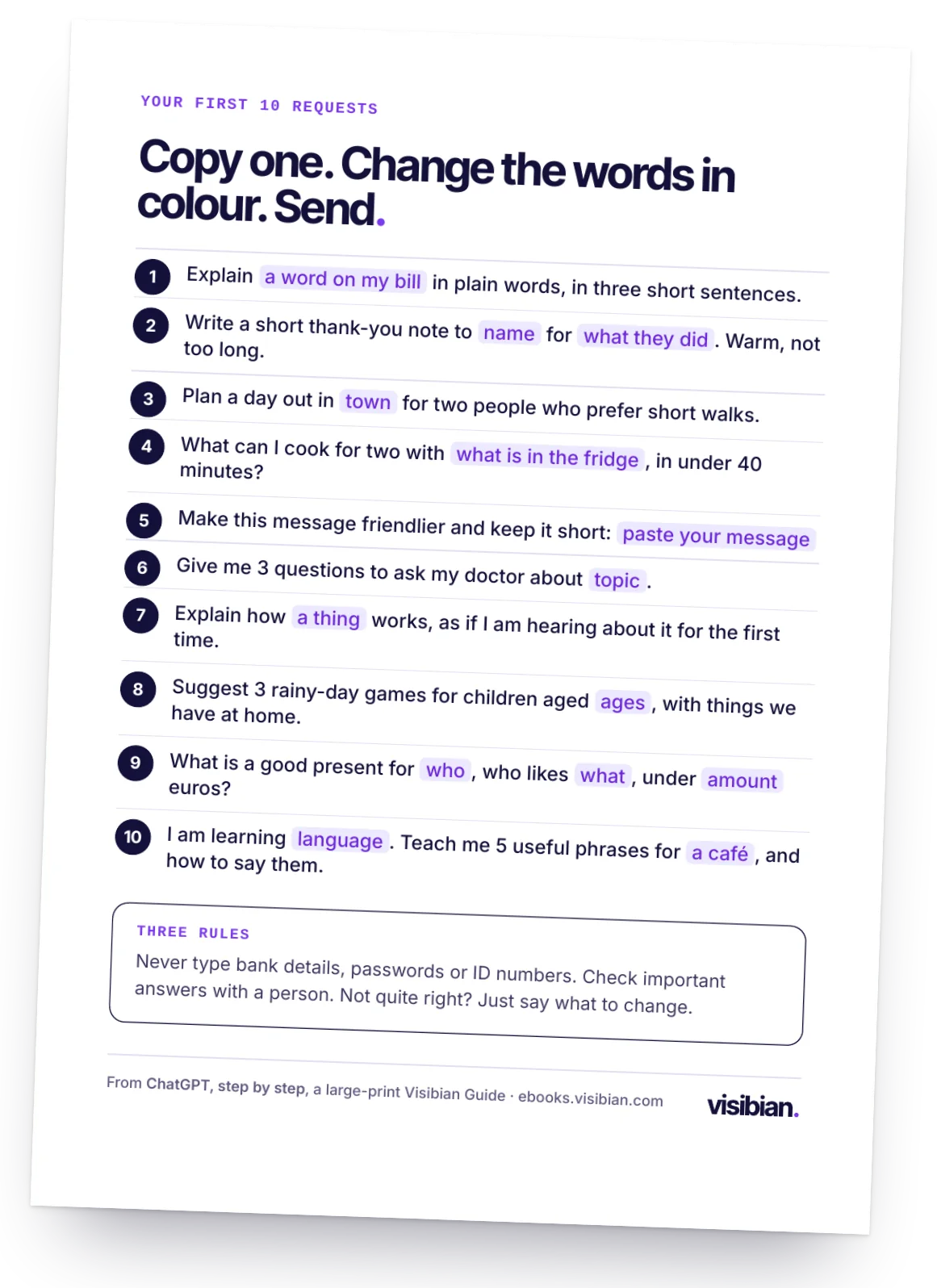
Copy, change one detail, send.
Press "Copy this request", open ChatGPT, press and hold in the box and choose Paste. The e-book has 100 of these, sorted by what you want to do.
Explain what "standing charge" means on my electricity bill, in three short sentences.
Write a short thank-you note to my neighbour for watering my plants while I was away. Warm, not too long.
Plan a day out in Bruges for two people who prefer short walks, a good lunch and somewhere to sit by the water.
Give me 3 questions to ask my doctor about my new blood pressure tablets. I want to understand my options.

Helpful, and sometimes wrong. The e-book shows you both.
Checking what AI assistants tell people is our daily work at Visibian. They are often a great help, and sometimes they sound certain and are wrong. Chapter 11 shows how to check an answer, and what never to type:
- Your bank card or account number
- Passwords, PINs and the codes sent to your phone
- Your passport or ID number
- Private details about other people
Scammers use AI too. Our other guide, Is this a scam?, shows the new tricks.
Twelve short chapters and 100 requests.
Each chapter takes about 15 minutes, ends with one thing to try, and can be read again whenever you need it.
- What ChatGPT is, in plain wordsand what it is not
- Getting it on your phone, tablet or computerwith a free account
- Your first questiontype the way you talk
- Four things that make any request betterwho, what, how long, what tone
- Writingletters, emails, cards and complaints
- Planningtrips, meals, gardens and birthdays
- Learninghistory, languages, hobbies, how things work
- Understandingbills, letters and instructions, with care
- Talking instead of typingask out loud, hear the answer
- Picturesask about a photo: a plant, a sign, a menu
- Staying safewhat never to type, how to check an answer
- The same skills elsewhereGoogle Gemini and Microsoft Copilot
Big letters. One step per page.



Read it in your armchair, or print it at home.
- Large printBig letters, short lines and plenty of space on every page.
- One step per pageEvery step shown the way it looks on your screen.
- 100 requestsReady to copy, sorted by what you want to do.
- Yours to keepAn e-book for any tablet, and a PDF for A4 paper.

Always the one who explains the phone?
Show them once, and the e-book does the rest, at their pace, as often as they like. Tick "This is a gift" at checkout, add a note, and we email the e-book to them the day it is ready.
Pay now and get it first, or get your money back.
The e-book is being written now. Here is exactly what you pay for and what happens next.
This is the pre-order price. From 1 January 2027 the e-book costs $24.
- The full e-book in large print, for any tablet or e-reader, and as a PDF to print
- 100 requests to copy, sorted by what you want to do
- The "first 10 requests" card to print, today
- Free updated editions for 12 months, as the app changes
You see the total before you pay. Card, Apple Pay or Google Pay, through Stripe. We never see your card number.
Pre-orders open in the coming days. Join the waitlist below and we will email you the day they open.
How the pre-order works
- TodayYou pay $19 and get a receipt by email.
- Until it arrivesShort emails on how the e-book is coming along.
- By 31 December 2026The e-book arrives in your inbox.
The small print, in large print
- You are paying in advance. The e-book does not exist yet; we are writing it now.
- Changed your mind before it arrives? Write to us through the contact form or at [email protected], and we refund the full $19 within 5 working days. No reason needed.
- If it is late, meaning not in your inbox by 31 December 2026, we refund you without being asked.
- Who sells it: the company behind Visibian. Our address and company details are in our legal notice; our terms and privacy policy apply.
Not ready to pay? Get your first 10 requests free.
Leave your email and we send you a printable card with 10 requests to try today, then one email when the e-book is ready. No payment and no card details.
Fair questions, plain answers.
Do I have to pay for ChatGPT?
No. Everything in the e-book works with the free version of ChatGPT, as it was in November 2026. A paid plan is optional; the e-book explains what it adds, so you can decide.
Phone, tablet or computer?
Any of them. The e-book shows each step on a phone and says where a tablet or computer is different.
Is ChatGPT safe to use?
It is safe when you keep a few rules: never type bank details, passwords or ID numbers, and check important answers with a person. Chapter 11 covers this step by step.
Is this e-book from OpenAI?
No. ChatGPT is made by OpenAI. This is an independent e-book by the team behind Visibian, and OpenAI has not reviewed or endorsed it.
What if the app changes?
Apps change their look often. For 12 months after the e-book arrives, you get updated editions free, by email.
What about Gemini, Copilot and the others?
Chapter 12 shows the same skills in Google Gemini and Microsoft Copilot. Once you can use one, the others feel familiar.
How does the refund work?
Any time before the e-book arrives, write to us through the contact form or at [email protected], and we refund the full $19 within 5 working days, with no reason needed. If it is not in your inbox by 31 December 2026, we refund you without being asked.
Who writes it?
The team behind Visibian. Our daily work is checking what AI assistants such as ChatGPT tell people. Before a chapter is final, a panel of readers over 55 tests it and tells us what was unclear. You can join the panel when you join the waitlist.
Ask your first question this winter.
Twelve short chapters, 100 requests to copy, and a full refund if you change your mind before it arrives.
Sources
- Eurostat, Individuals: use of generative AI tools (isoc_ai_iaiu), 2025, EU: used in the last 3 months by 12.0% of people aged 55 to 74 and 32.7% of people aged 16 to 74. Data updated 5 June 2026, read 11 November 2026.
- AARP Research, 2026 Tech Trends and Adults 50-plus, December 2025: use of generative AI among adults 50 and over rose from 18% in 2024 to 30% in 2025 (US survey).
- Photographs: Centre for Ageing Better, age-positive image library, CC0 1.0. The people shown are not readers or customers and do not endorse this e-book.